If your pill reminder app suddenly asks you to pay to keep tracking all your medicines, or to keep your family in the loop, you’re not alone. In 2026 several popular medication apps moved features behind a subscription, and Medisafe is the one people ask about most. Many users and caregivers are now looking for a free Medisafe alternative that still does the important part: reminds you every time, and tells someone you trust when a dose is missed.
This guide covers what to look for in a replacement, how the main options compare, and how to move your medicines to a new app in about 10 minutes without missing a dose.
A quick note on pricing: app prices and free-plan limits change often and can differ by country. Reports from users and other app makers say Medisafe’s free plan became more limited in 2026, and its Premium plan has been listed at about $4.99 a month on the App Store. Check the current terms in your app store before you decide.
What matters most in a pill reminder app
Most reminder apps can send a notification. The ones that actually help people stay on track do a few more things well:
- Reminders that don’t give up. A single notification is easy to swipe away. Look for alarm-style reminders that repeat and show on the lock screen, with a snooze option.
- One-tap Taken, Snooze or Skip right from the notification, so logging takes a second.
- Flexible schedules: twice a day, specific weekdays, every few days, as needed, half doses, injections and inhalers.
- Refill warnings that count down your pills and warn you before you run out.
- Missed-dose alerts for family. For parents, older adults and anyone on critical medicines, this is the feature that prevents problems. Check whether it’s free or paid.
- Privacy you can understand. Where is your health data stored? Are there ads or trackers? Can you delete everything?
- Big text and simple screens, especially if the app is for an older parent.
Medisafe alternatives compared
Here is how common options stack up on the features caregivers ask about most. Features and plans are based on each app’s store listing and public information at the time of writing, so double-check before you switch.
| App | Dose alarms | Family missed-dose alerts | BP and sugar tracking | Cost |
|---|---|---|---|---|
| Curevity | Yes, alarm-style, repeat until handled | Yes, free for one caregiver | Yes, free | Free; optional Family and Premium plans add AI features |
| Medisafe | Yes | Yes (Medfriend) | Some measurements | Free plan with limits; Premium about $4.99/month |
| MyTherapy | Yes | Not a core feature | Yes | Free |
| Apple Health Medications (iPhone) | Notifications | No | Through the Health app | Free, iPhone only |
| Dosecast | Yes | No | No | Free; Pro for sync and extras |
Why Curevity is a good Medisafe alternative
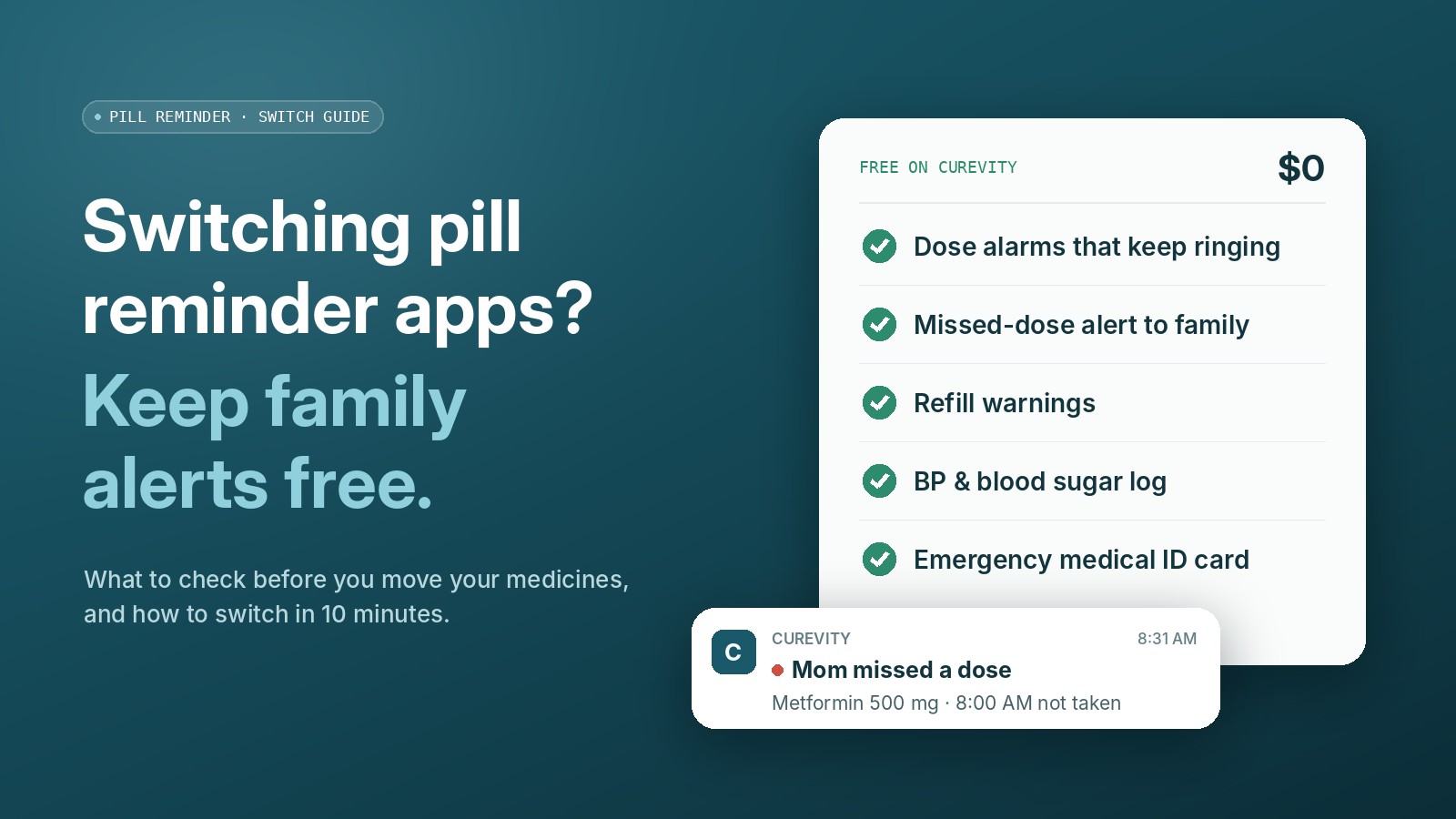
Curevity was built for people managing daily medicines and the family members who look after them. The parts most people need are free, with no ads:
- Medicine reminders that keep ringing until you mark them Taken, Snooze or Skip, right from the notification.
- Missed-dose alerts for one caregiver, free. If a dose is missed, your son, daughter or partner gets a push alert on their phone. If it was taken late, they get a “taken late, all good” update, so there’s no false worry.
- Refill warnings that count down as you take doses.
- Blood pressure and blood sugar tracking with trend charts against your own target range.
- An emergency medical ID card with medicines, allergies and one-tap contacts, reachable even when the phone is locked.
- Private by design: your full health history is stored encrypted on your phone. No ads, no trackers, and your data is never sold.
If you want more, the optional Family and Premium plans add the Curevity AI health assistant, AI diet plans, the lab report scanner summaries and more caregivers. You can try Premium free for 5 days.
How to switch in about 10 minutes
- Write down your current list. Before you uninstall anything, open your old app and note each medicine, the dose, the times and any food instructions. A screenshot of each medicine screen works too.
- Install Curevity on iPhone or Android and add your medicines one by one. Set the same times you use now.
- Set your stock for each medicine so refill warnings work from day one.
- Invite your caregiver. Curevity gives you a one-time code; your family member installs the app and enters it. You choose what they can see.
- Run both apps for a day. Make sure every reminder arrives in Curevity before you turn off the old app’s notifications.
- Check notification settings. On iPhone, make sure Focus modes allow Curevity. On Android, allow alarms and reminders and turn off battery optimization for Curevity.
Moving a parent’s medicines? Our guide on how to make sure your parents take their medicines on time walks through setting it up together.
Frequently asked questions
Is there a free alternative to Medisafe?
Yes. Curevity, MyTherapy, Dosecast and Apple’s built-in Medications feature on iPhone all offer free medicine reminders. If you need family members to be alerted when a dose is missed, Curevity includes that free for one caregiver.
Can I import my medicines from Medisafe?
Most medication apps, including Curevity, don’t import directly from other apps. The fastest way is to write down or screenshot your current list and add each medicine in a few taps.
Which pill reminder app is best for elderly parents?
Look for big text, reminders that keep ringing, simple Taken or Snooze buttons, and alerts to a family member when a dose is missed. Those are the features that make the biggest difference for older adults.
Will my health data be shared?
In Curevity, your full health history is stored encrypted on your phone. A small care summary syncs so you can restore on a new phone and share with the caregivers you choose. There are no ads or trackers.
Curevity is an organizational tool, not a medical device. Never stop or change a medicine without talking to your doctor or pharmacist. Medisafe and other names are trademarks of their owners; this article is not affiliated with or endorsed by them.